
Devolin - Personal Portfolio React JS Template
This Is Clean Personal Portfolio React JS Template.
By: DropletWeb
Email: iamdarda999@gmail.com
Thank you for purchasing our Template. If you have any question, please feel free to contact us.
Main File Structure
All the file are well organized, its so easy to work with the template.
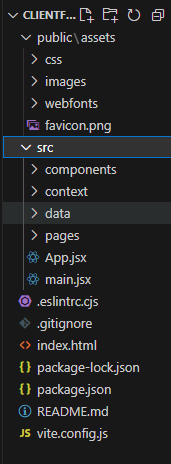
1. Unzip the mainFile.
You will find 2 folder and 7 other files.
In the public folder there are assets like webfont, images and CSS.
In the src folder there are 4 folders and 2 jsx file.
In the component folder there are the components of the template that are used all around and from here the components can be modifed according to your need.
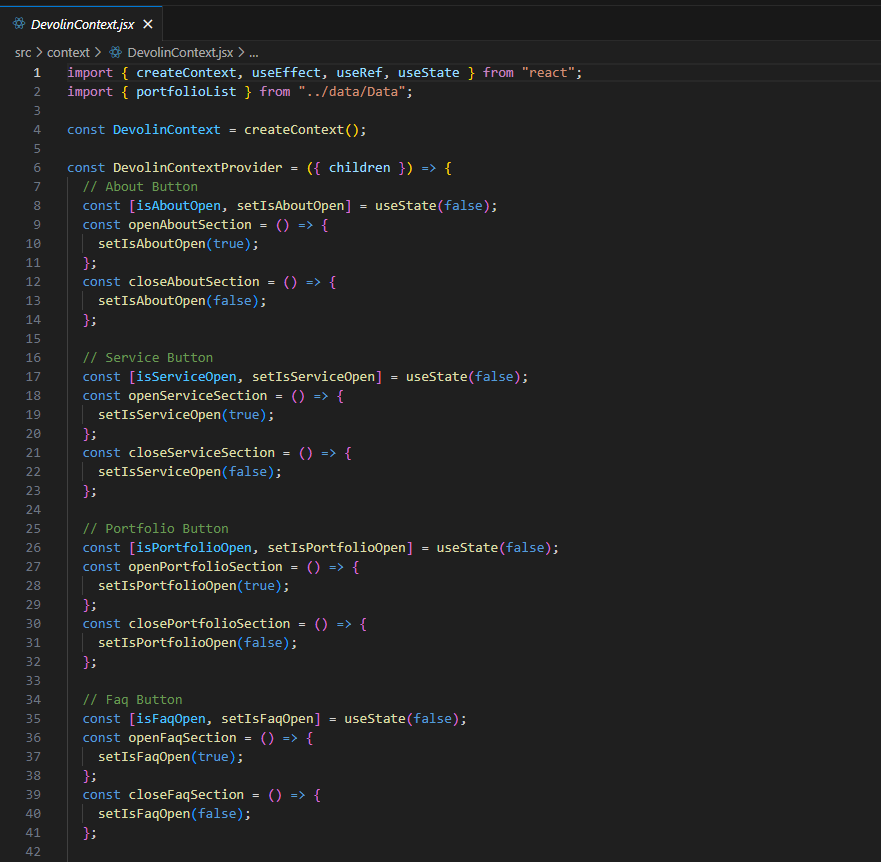
In the context folder there is the DevolinContext.jsx file which contains all the logic for the template.
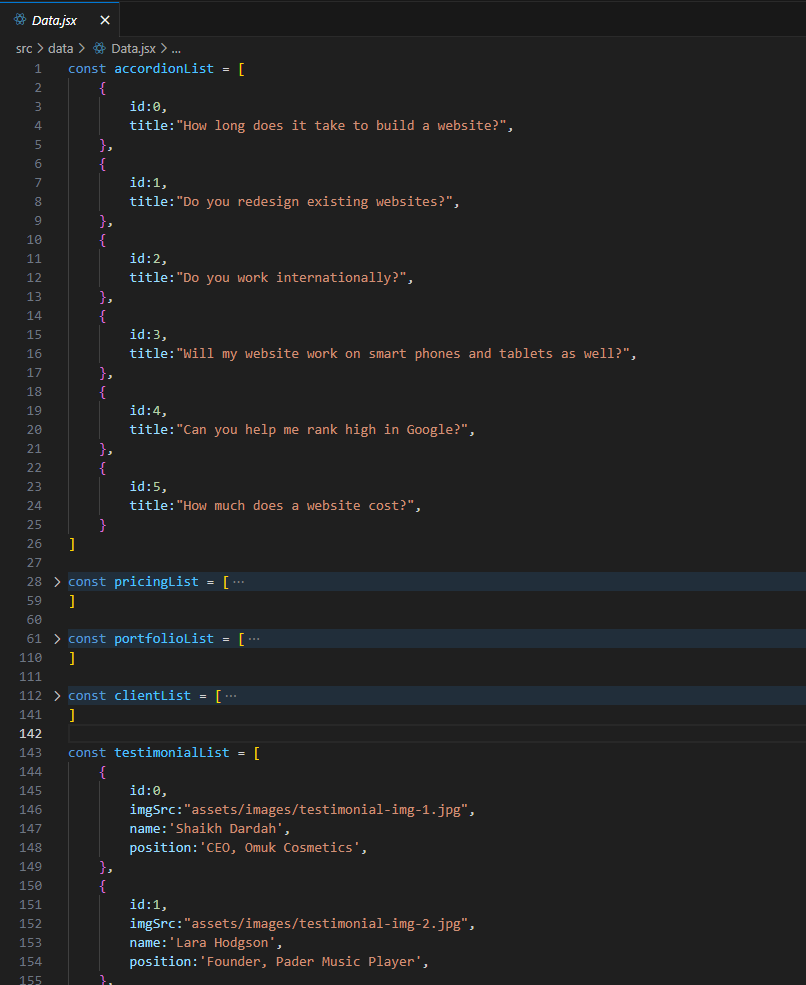
In the data folder there is Data.jsx file in which there is all mock data used in the template.
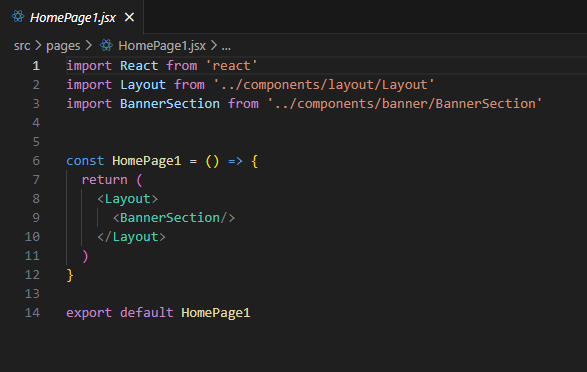
In the pages folder there are functional components that are used as pages.
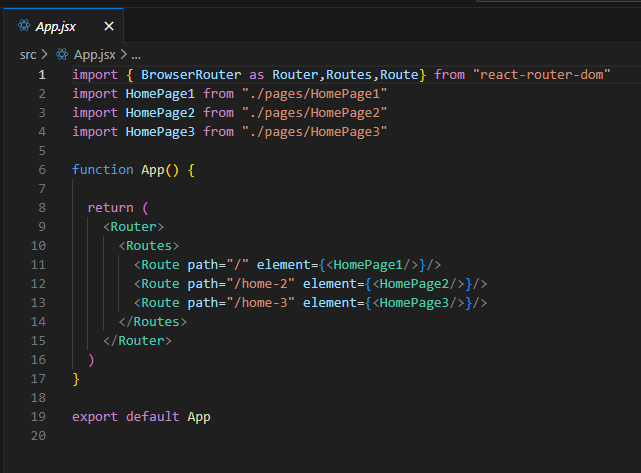
The App.jsx contains all the routing and in main.jsx the whole app is rendered.
The rest of the files are .eslintrc.cjs, .gitignore, index.html, package-lock.json, package.json ,readme and vite.config.js file.
Deployment
To deploy in Vercel:
1. Create a Vercel Account:
If you don't have a Vercel account, you'll need to create one at https://vercel.com/signup.
2. If yoy have a github account push the main file in a repository and link the github to your vercel account.
3. Navigate to Vercel overview:
Click add new. Select project and if you have your github link you will see the repositories, select the repository of Devolin.
4. After importing the repository you will be redirected to deployment page here you can change the project name and many other.
5. After selecting a name for the project just click on deploy button. It will take some time and after it will be live and a url will be given which can modified later on.
6. If you are importing from github continous deployment is supported in Vercel. If you update the code in github it will auto update the live site.
For more deployment instruction you can follow this Linkof official document.
To deploy in Cpanel:
1.Run the command `npm run build` in the project directory to create a production-ready build of the Devolin. This will generate optimized and bundled files in a `build` directory.
2. Zip all the files and folders from the `dist` directory generated in the previous step and also add .htaccess file included in the doc.
3. Log in to your cPanel account provided by your hosting provider.
4. Locate the "File Manager" or "Files" section in cPanel and open it.
5. Choose the domain or subdomain where you want to deploy Devolin. This will open the File Manager for that specific location.
6. Inside the File Manager, click the "Upload" button or option and upload all the files and folders from your local `dist` directory. You can drag and drop the files or use the file upload interface.
7. If you uploaded a compressed file, such as a ZIP archive, select it in the File Manager and choose the "Extract" option to extract the files and folders.
8. Ensure that all the files and folders from Devolin are now present in the desired location on the server.
9. If the Devolin uses client-side routing (e.g., React Router) and you're not using the cPanel default document (usually `index.html`), you may need to configure your server to redirect all requests to your main `index.html` file. This step may require creating or modifying an `.htaccess` file, which depends on your server's configuration. Consult your hosting provider's documentation or support for guidance on setting up routing correctly.
10. After uploading the files and configuring routing (if necessary), you should be able to access your Devolin by visiting your domain or subdomain in a web browser.
Steps to install and start in local server
1. Unzip the "mainFile" and you can open commad prompt in the mainFile and use command "npm install" to install node modules.
2. After installing node modules you can type the command "npm run dev" to open the web app in local server.
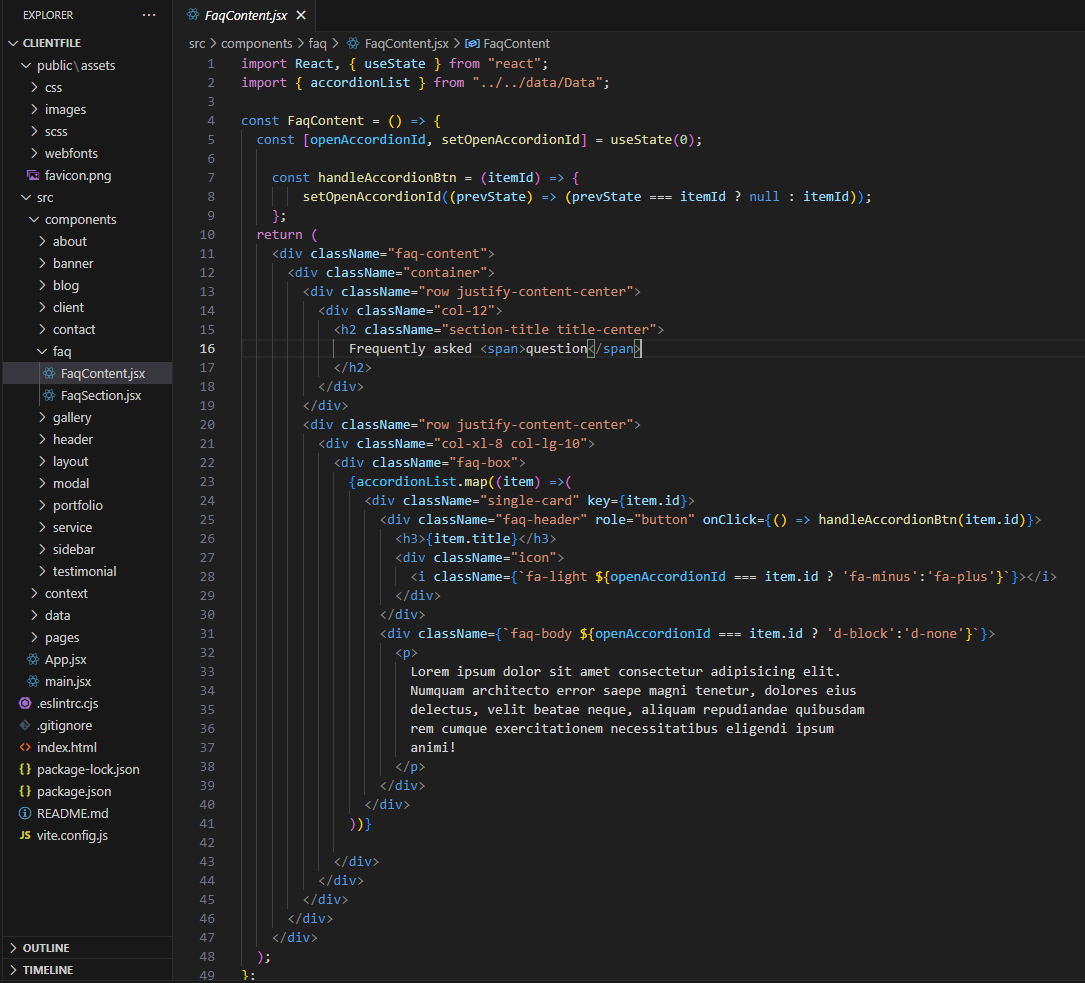
JS Structure
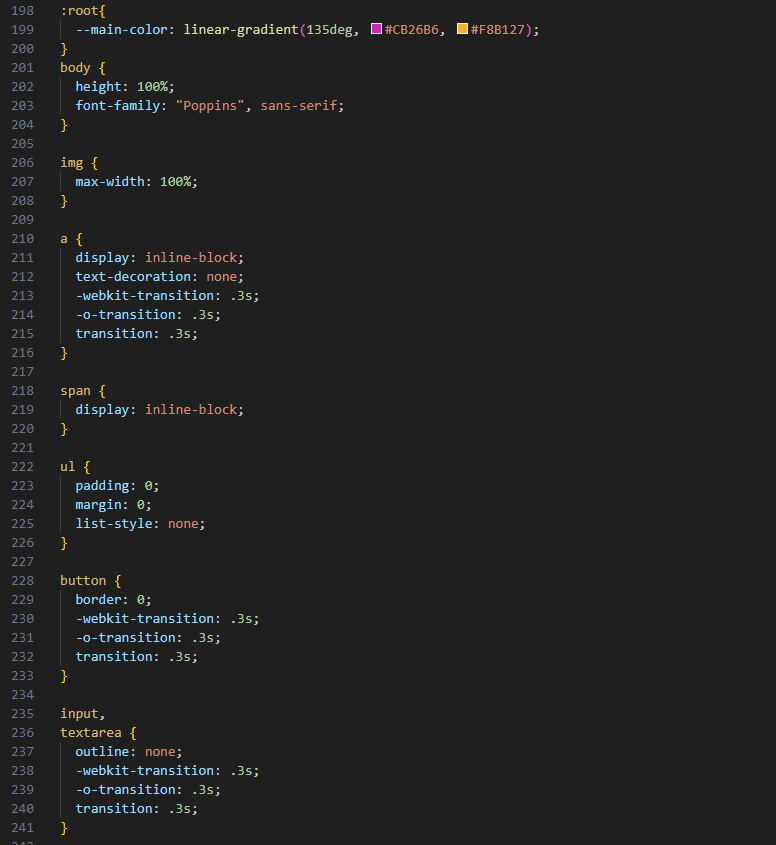
CSS Structure
DevolinContext.jsx structure
Data Structure
In the Data.jsx there are array initialized and exported to be used throughout the whole web app.
Pages Structure
In the pages component required components are mounted accordingly
Routing structure
Sources & Credits
- Fonts
- Icons
- Images
- jQuery plugins
Supports
Thank you for reading the documentaion. If you still have any question or any problem, please contact with us. We will give you best support. Thanks.
DropletWeb